
What should I do if Autopay fails?
When using the Customer Portal, you may occasionally encounter a screen indicating that Autopay has failed. If this occurs, despite having registered for Autopay, the current month's payment may not be processed, leading to possible inclusion in the overdue list. What should you do in such a situation?
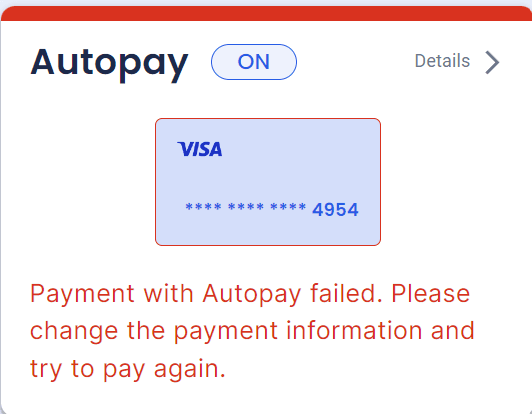
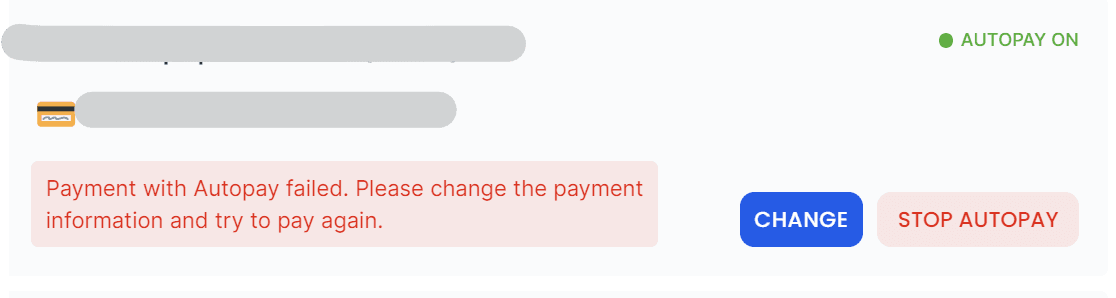
Autopay can fail for various reasons, often due to insufficient funds in the registered card or account. In such cases, you can proceed with a retry by modifying the Autopay payment information that is on file.
If you want to change your payment method for your autopay, you can easily mange your payment method on Customer portal.
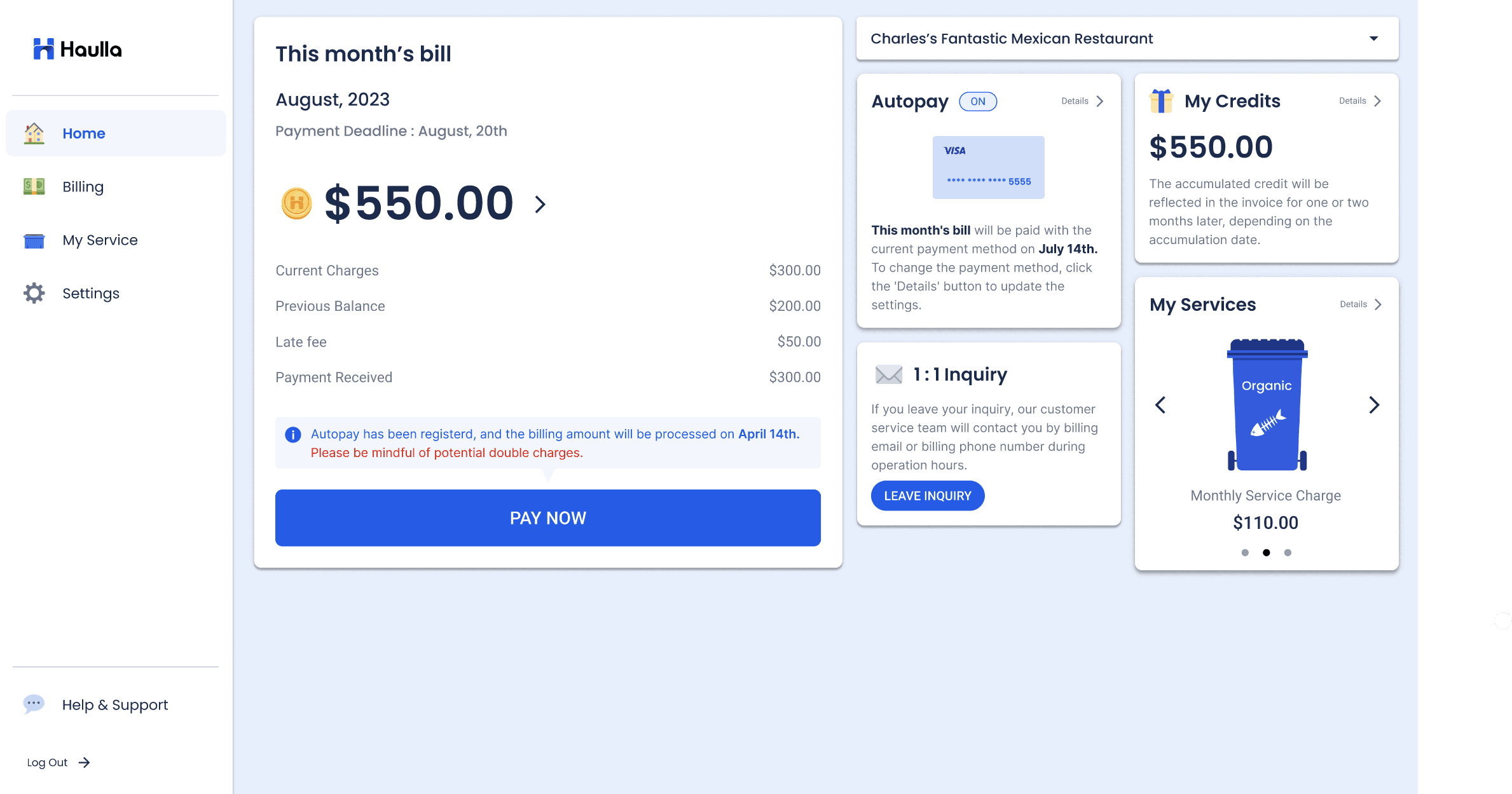
- Click the Settings button or Details button in the Autopay container.
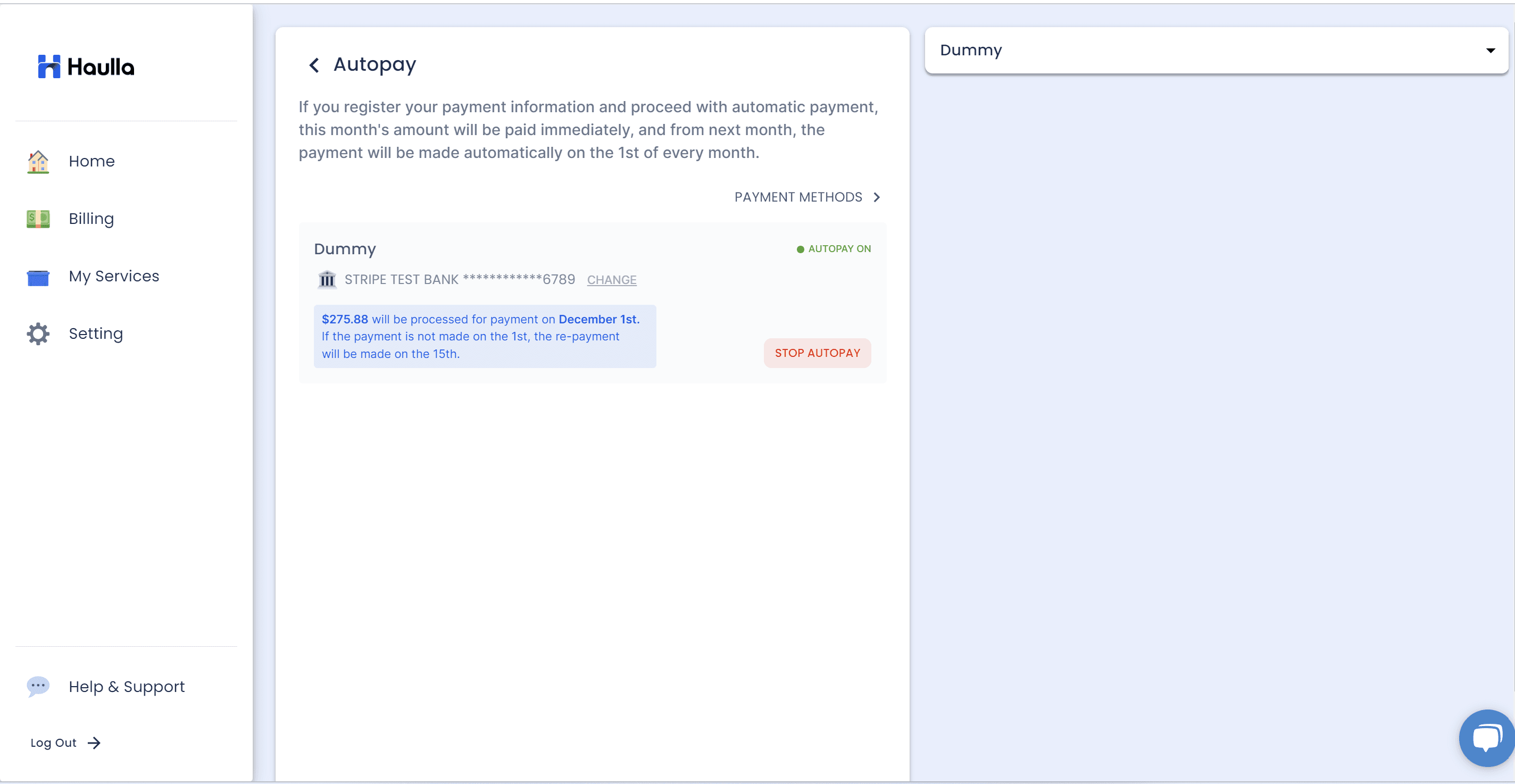
On the Autopay screen, all your business information and auto-payment status will be displayed as a list. To change the payment method for your autopay, please click CHANGE button next to the business that you want to change the information.
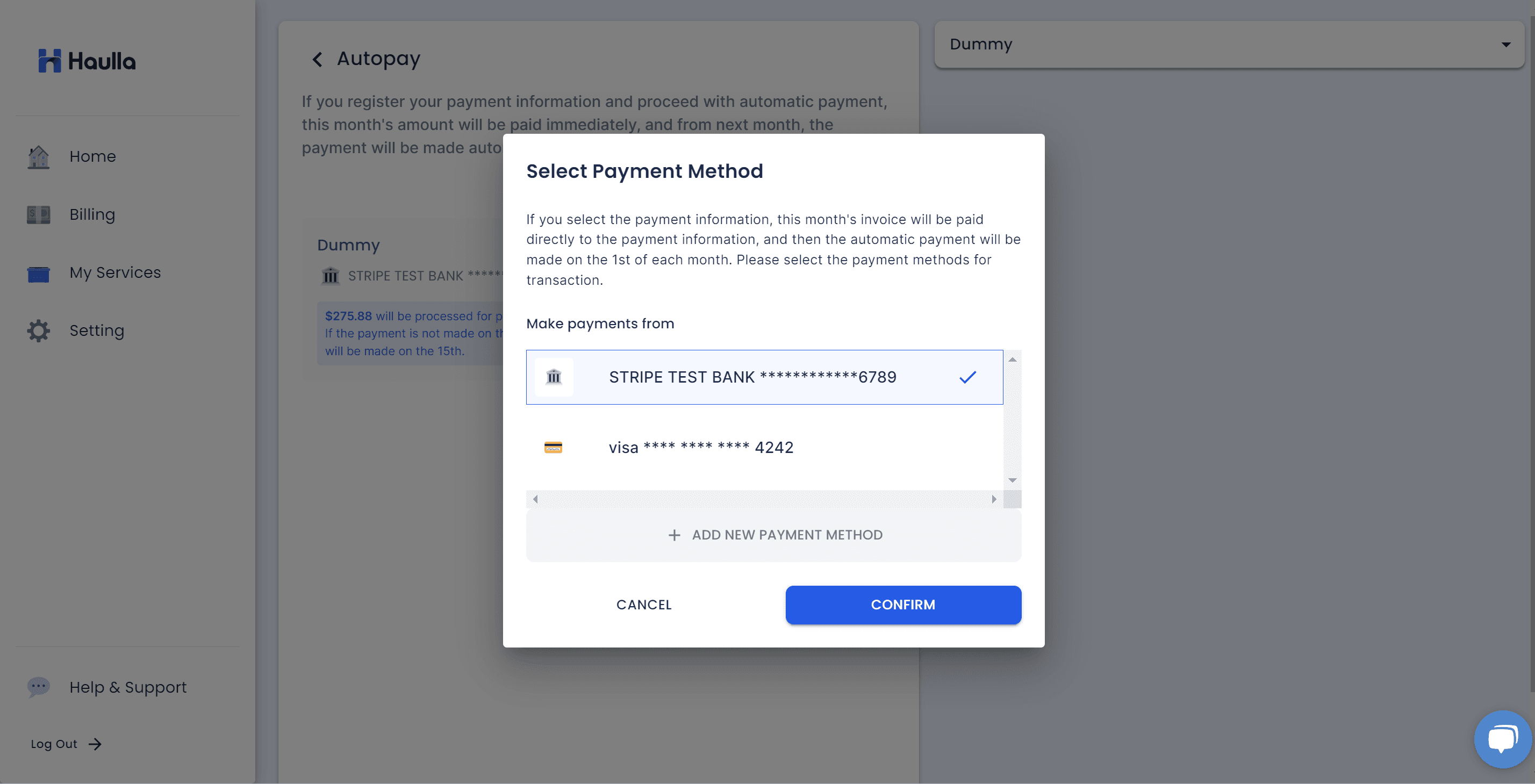
All you have to do is just selecting the payment method that you want to register for your autopay. If you want to register new payment method, please click add new payment method button to proceed the process for register the new payment method.
If you no longer wish to continue with Autopay and prefer to make a one-time payment, you can stop your auto-payment.
If you want to cancel the registered automatic payment because you can't make automatic payment anymore, cancelling automatic payment is also simple.
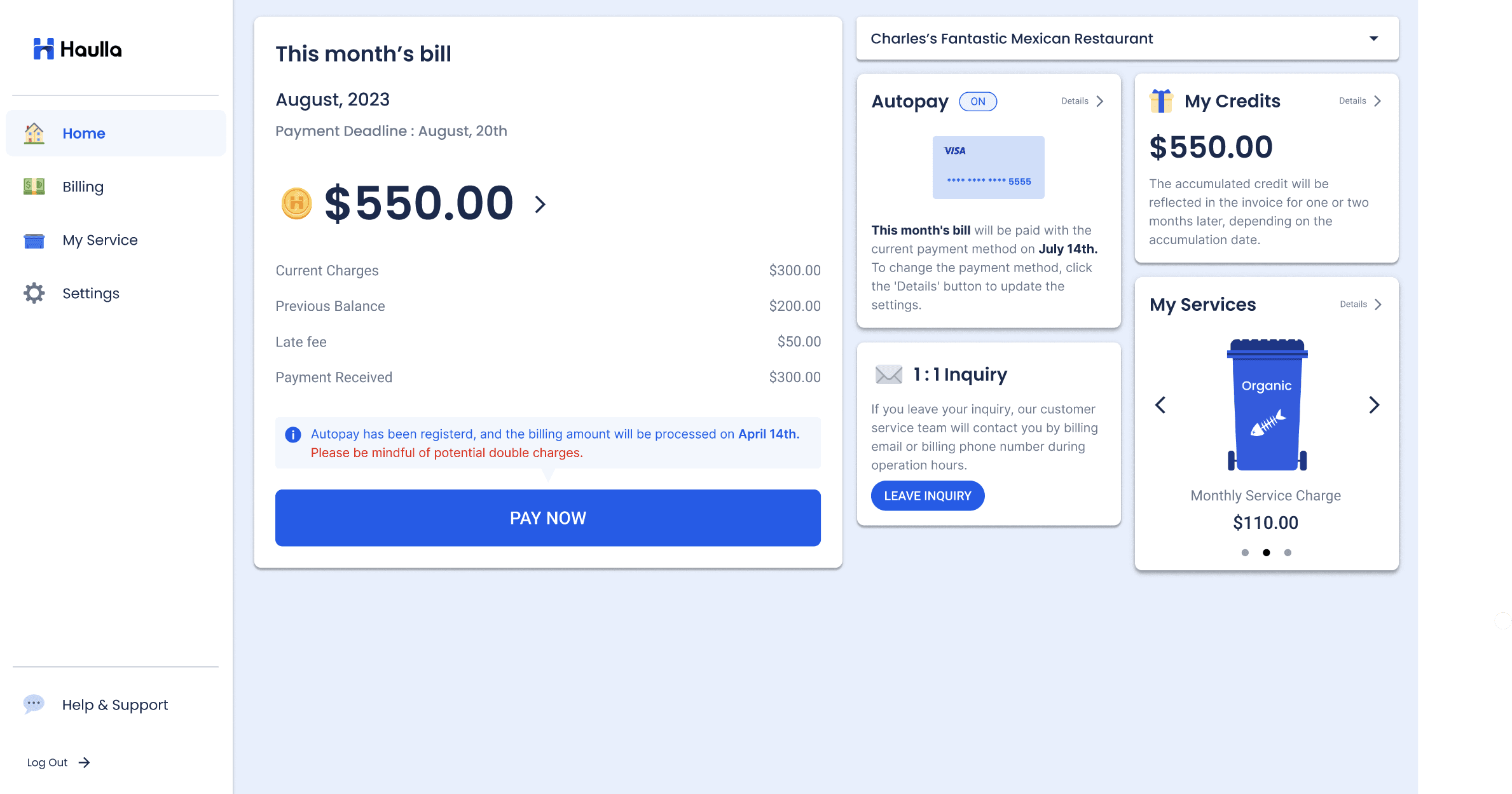
- Click the Settings button or Details button on the Autopay container.
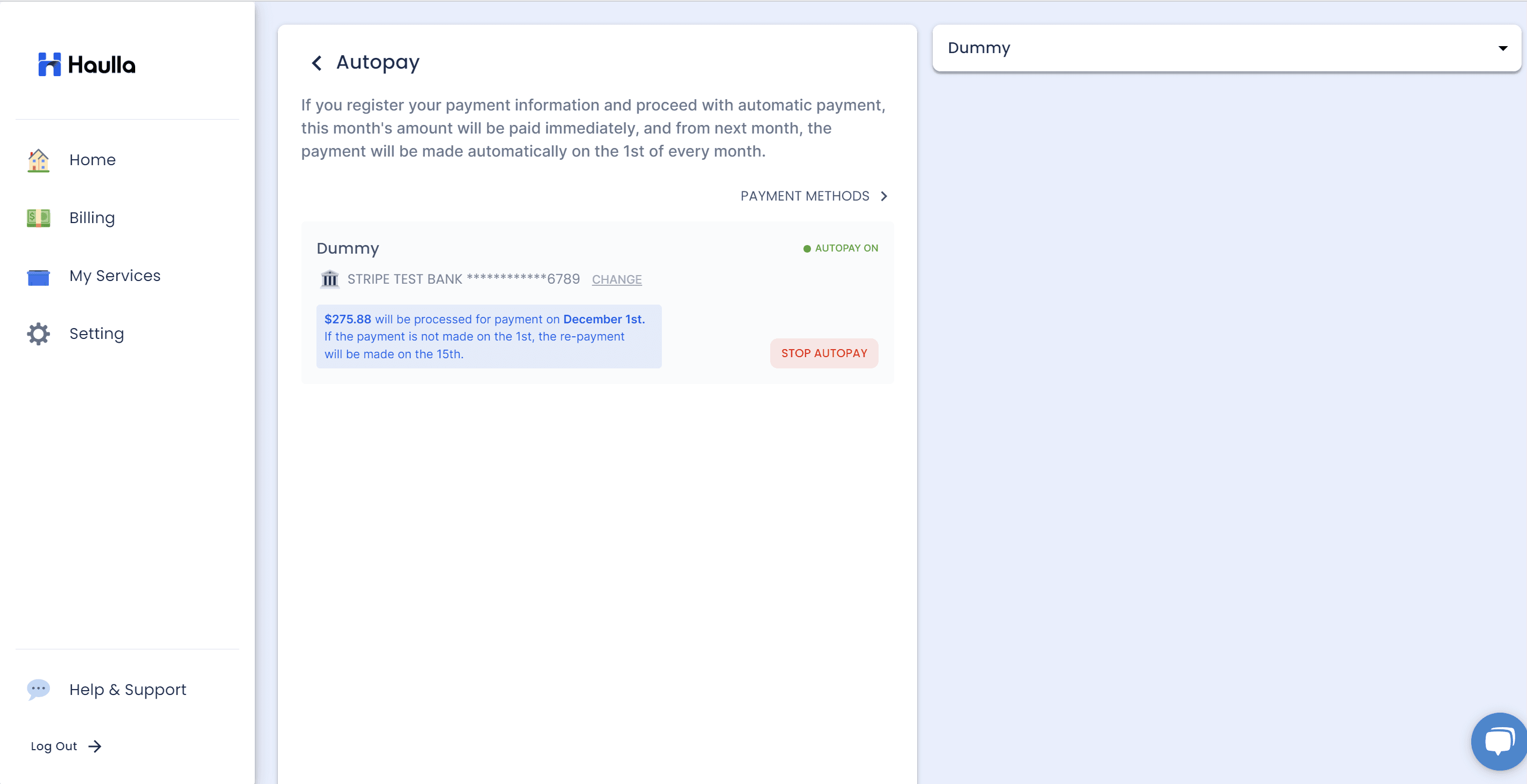
On the Autopay screen, all your business and auto-payment status is displayed as a list. If you don't want to proceed with automatic payment any more, just click Stop Autopay button next to the business that you want to cancel.
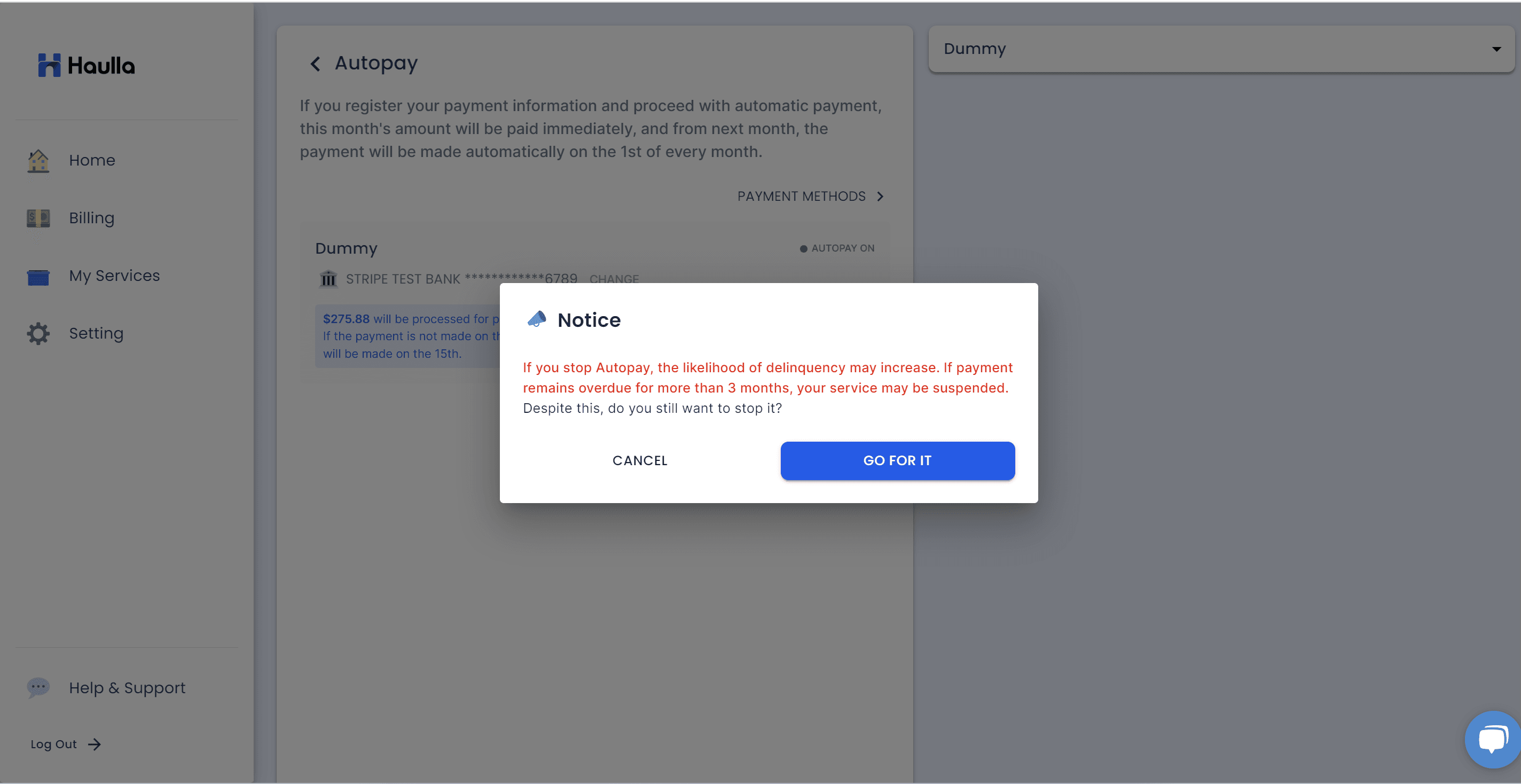
A dialog will be displayed to confirm the intention to delete it once more. Click the go for it button to confirm the deletion of autopay.
However, if you have discontinued Autopay, it is essential to proceed with a one-time payment for the current month's charges.
If you neglect to take action for reprocessing after identifying a failed payment and leave it unattended, it may lead to inclusion in the overdue list, incurring late fees. If you receive a notification via email or SMS about a failed payment, please be sure to access the Customer Portal promptly to change your payment method or initiate a retry.