
How do I cancel the autopay on customer portal?
Do you want to cancel the registered automatic payment because you can't make automatic payment anymore? Cancelling automatic payment is also simple.
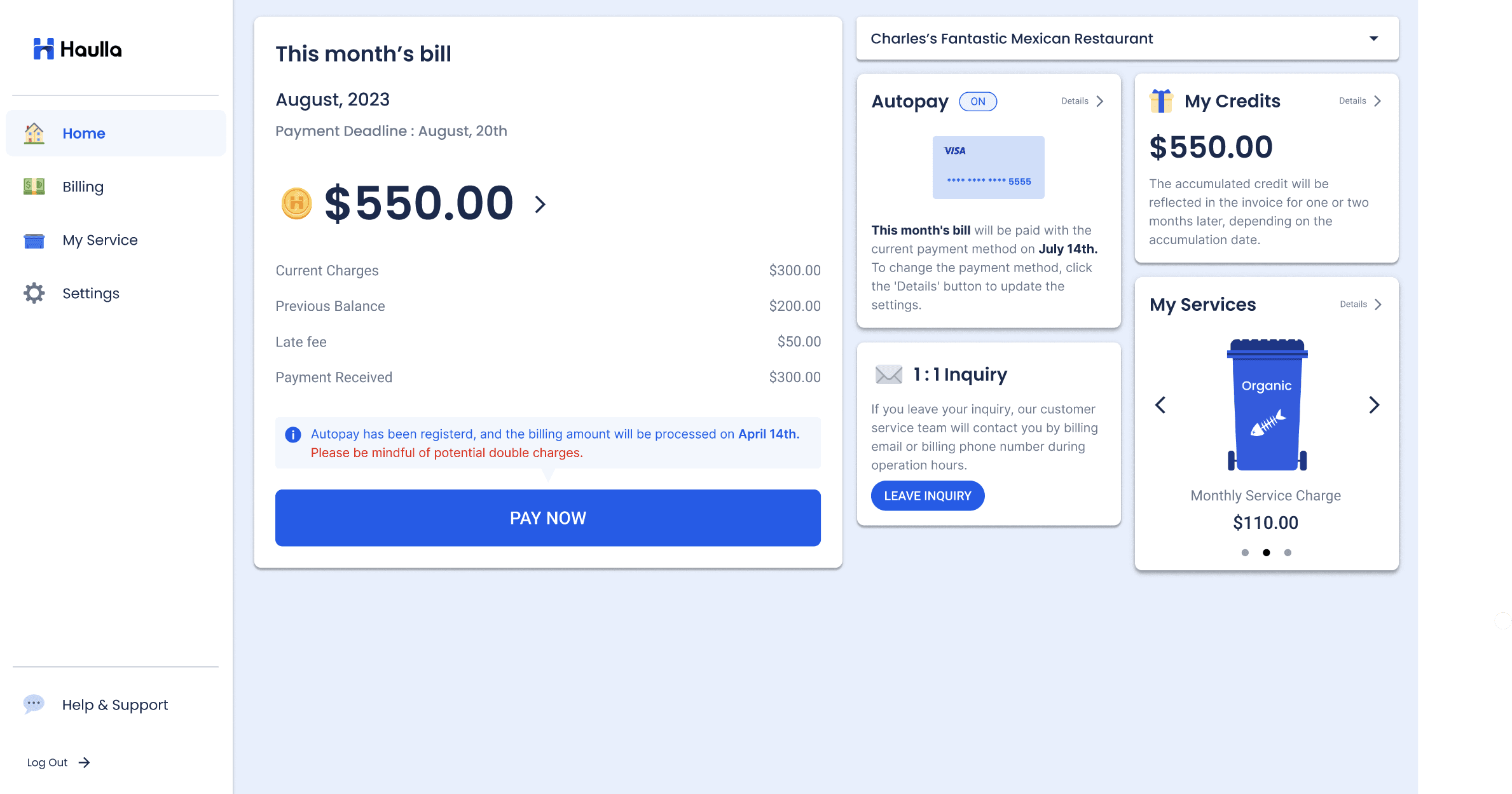
- Click the Settings button or Details button on the Autopay container.
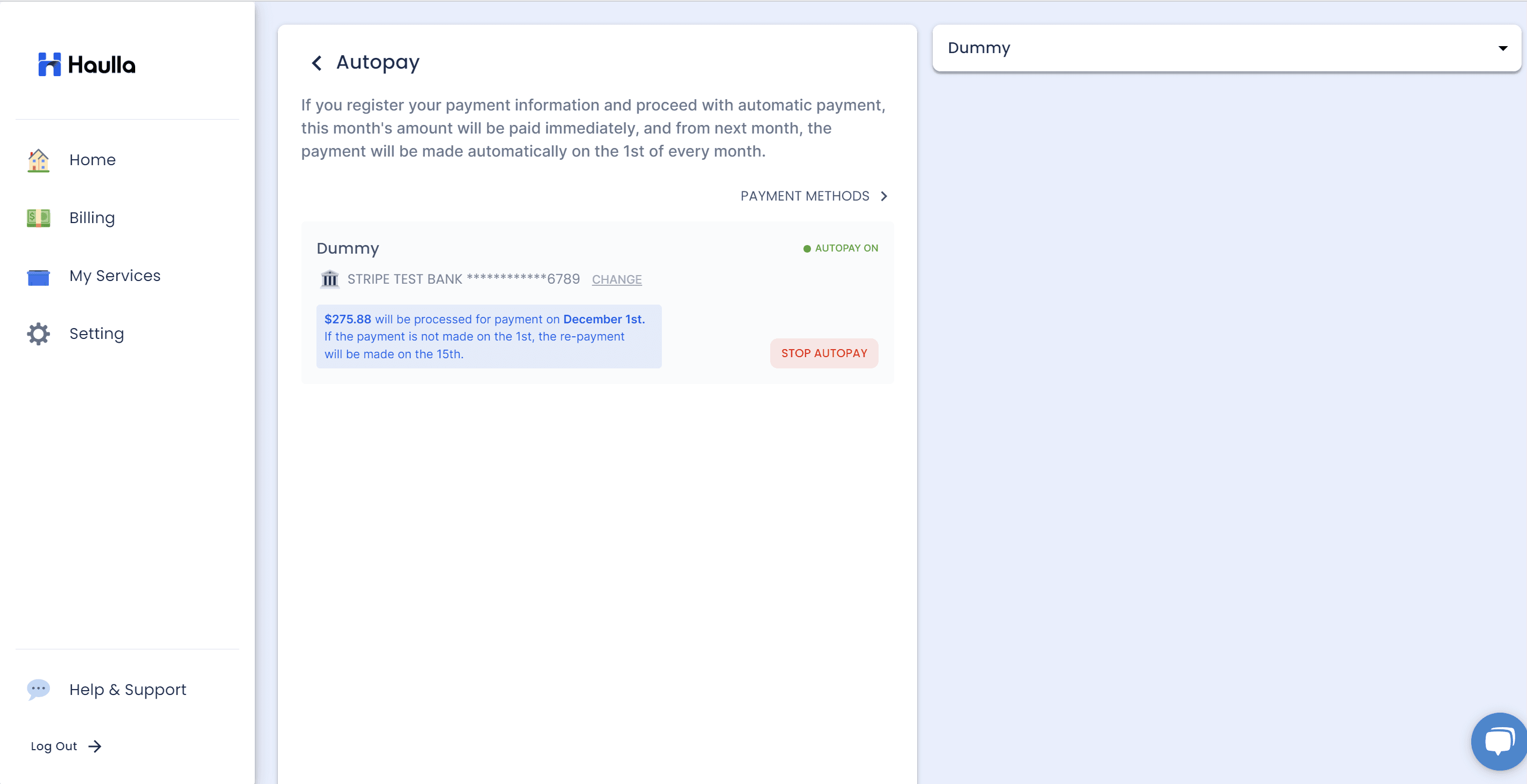
On the Autopay screen, all your business and auto-payment status is displayed as a list. If you don't want to proceed with automatic payment any more, just click Stop Autopay button next to the business that you want to cancel.
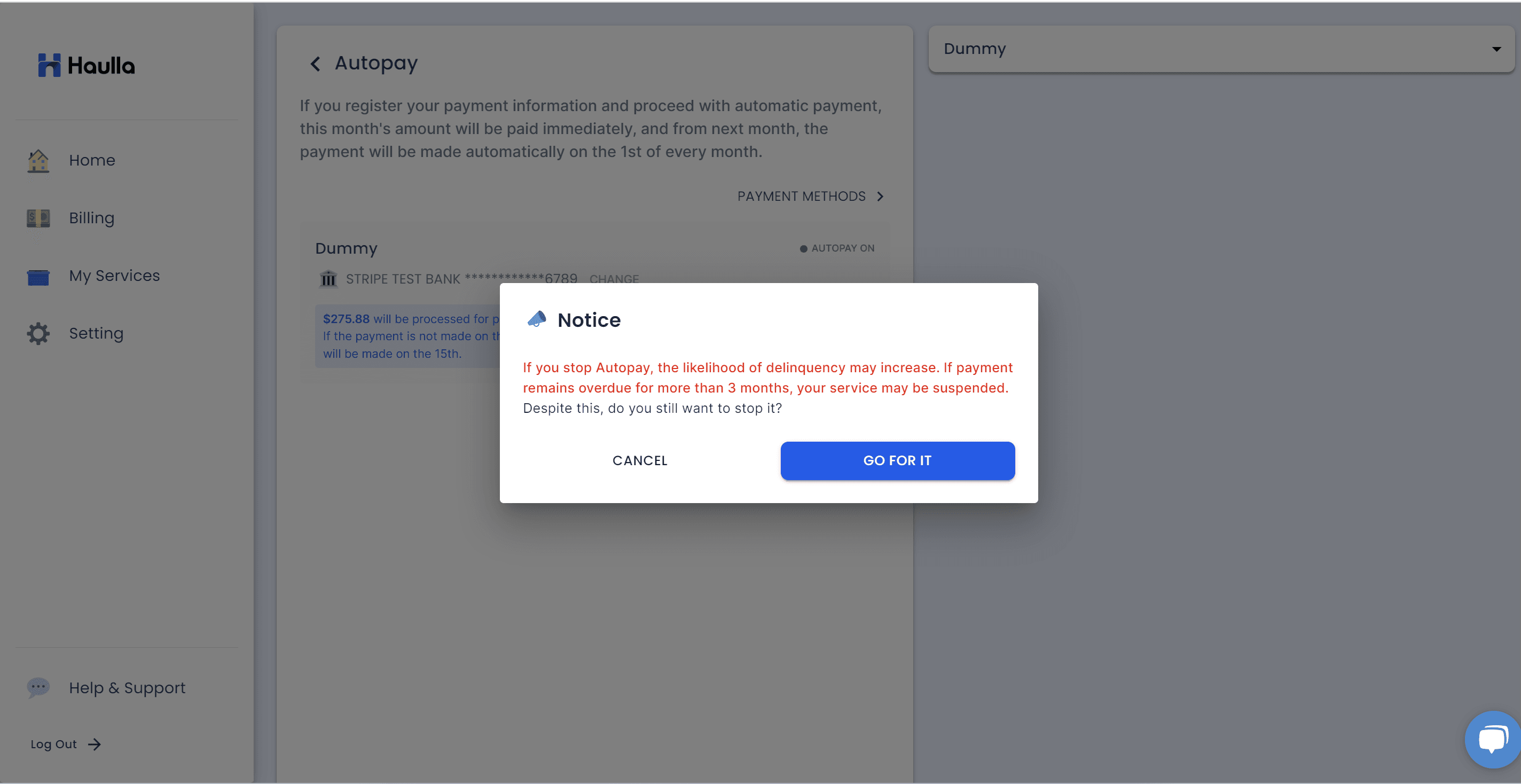
A dialog will be displayed to confirm the intention to delete it once more. Click the go for it button to confirm the deletion of autopay.