
How can I pay for unpaid charges on the customer portal?
Is the invoice that has not been paid yet displayed on the payments screen? Would you like to pay that amount?
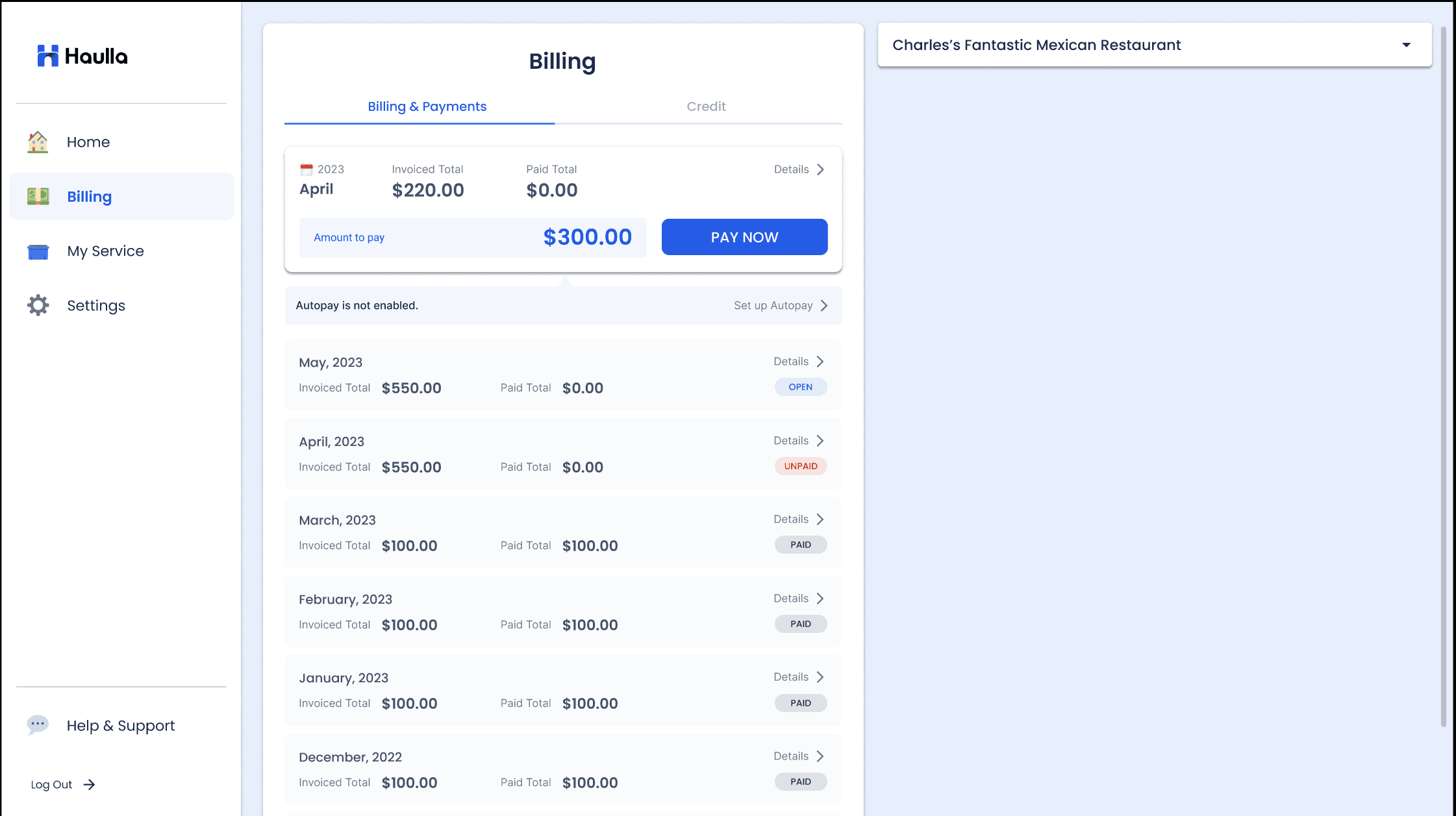
Service fees for the previous month that have not been settled will be charged in addition to the next month's bill by default. If you still have an invoice marked unpaid on the Billing & Payments screen, you can pay for it by paying the entire bill for this month.
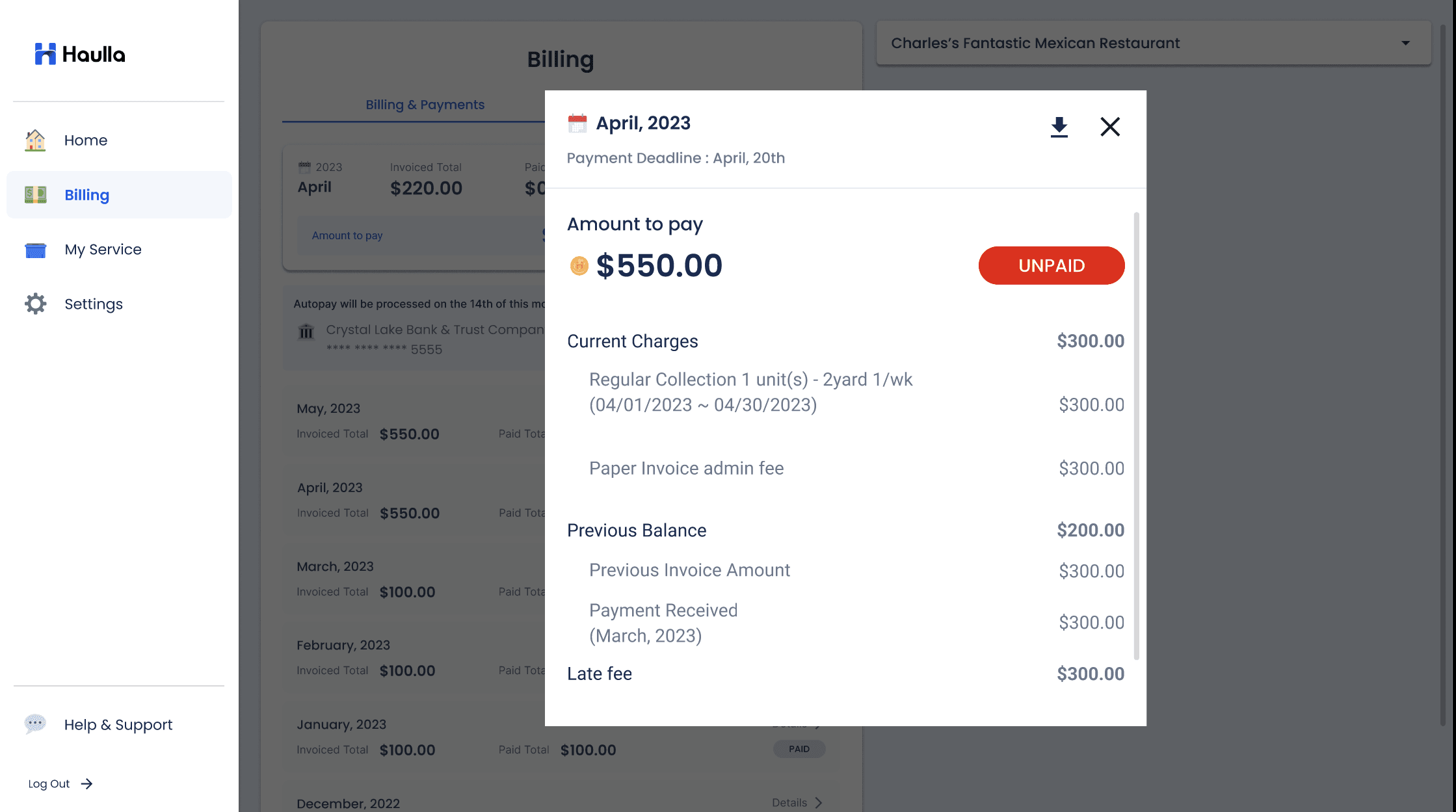
On the Billing & Payments screen, click the detail button on the unpaid invoice you want to check
- If you click the unpaid button displayed on the Detail screen, you can go to the detail page for this month's bill where you can pay the entire overdue amount.
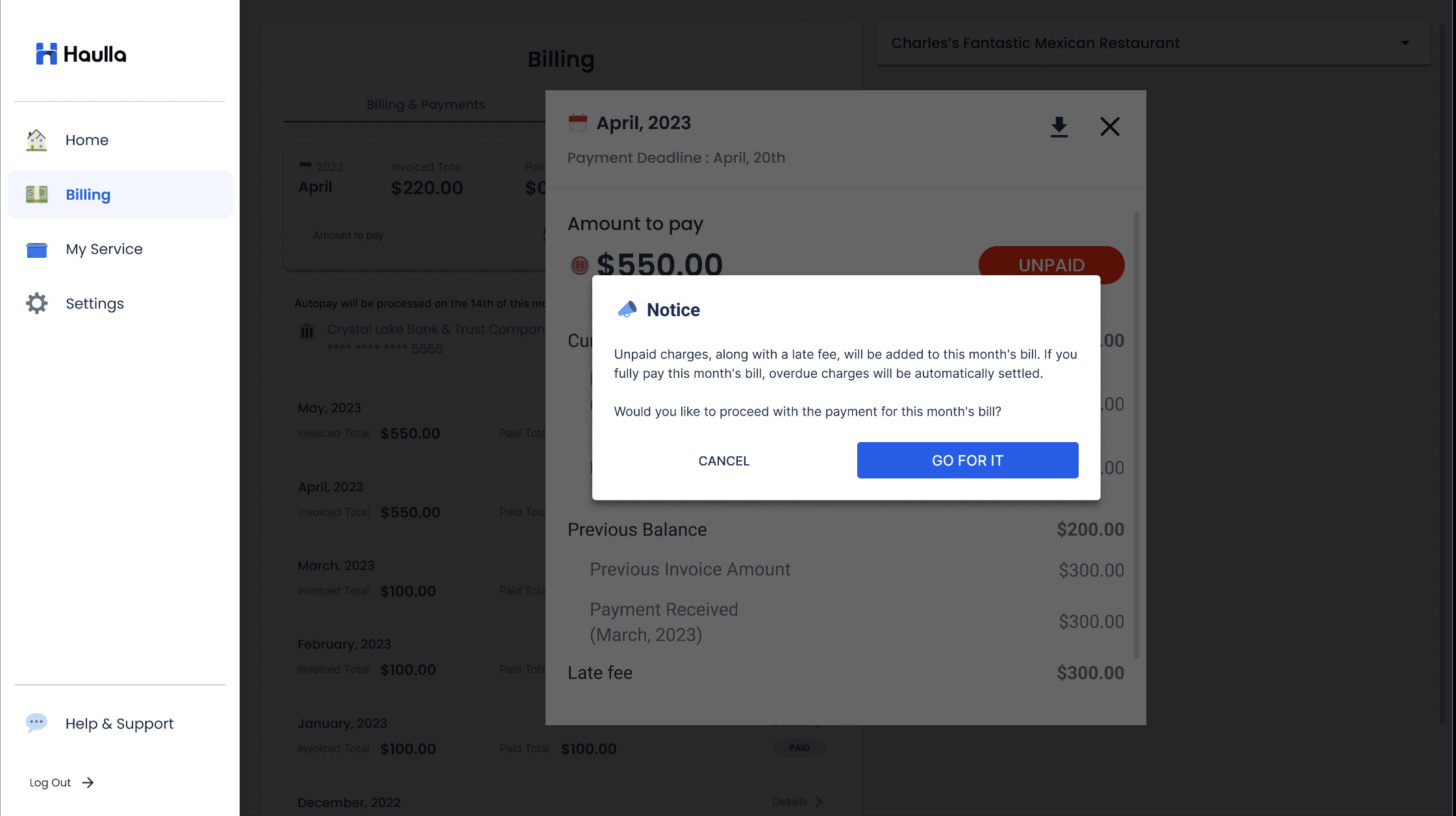
Before moving to the detail page for this month's bill, there will be a dialog shown for asking you that you willing to pay for the overdue charges.
- If you want to pay all overdue bills, click Go for it button to pay for this month's bill.
- Check the Payments screen after payment. If all invoices have been changed to paid status, all overdue amounts have been paid normally.